In order to register your team for the event, please login to the exhibitor portal and follow the instruction under the 'Register Your Passes' button.
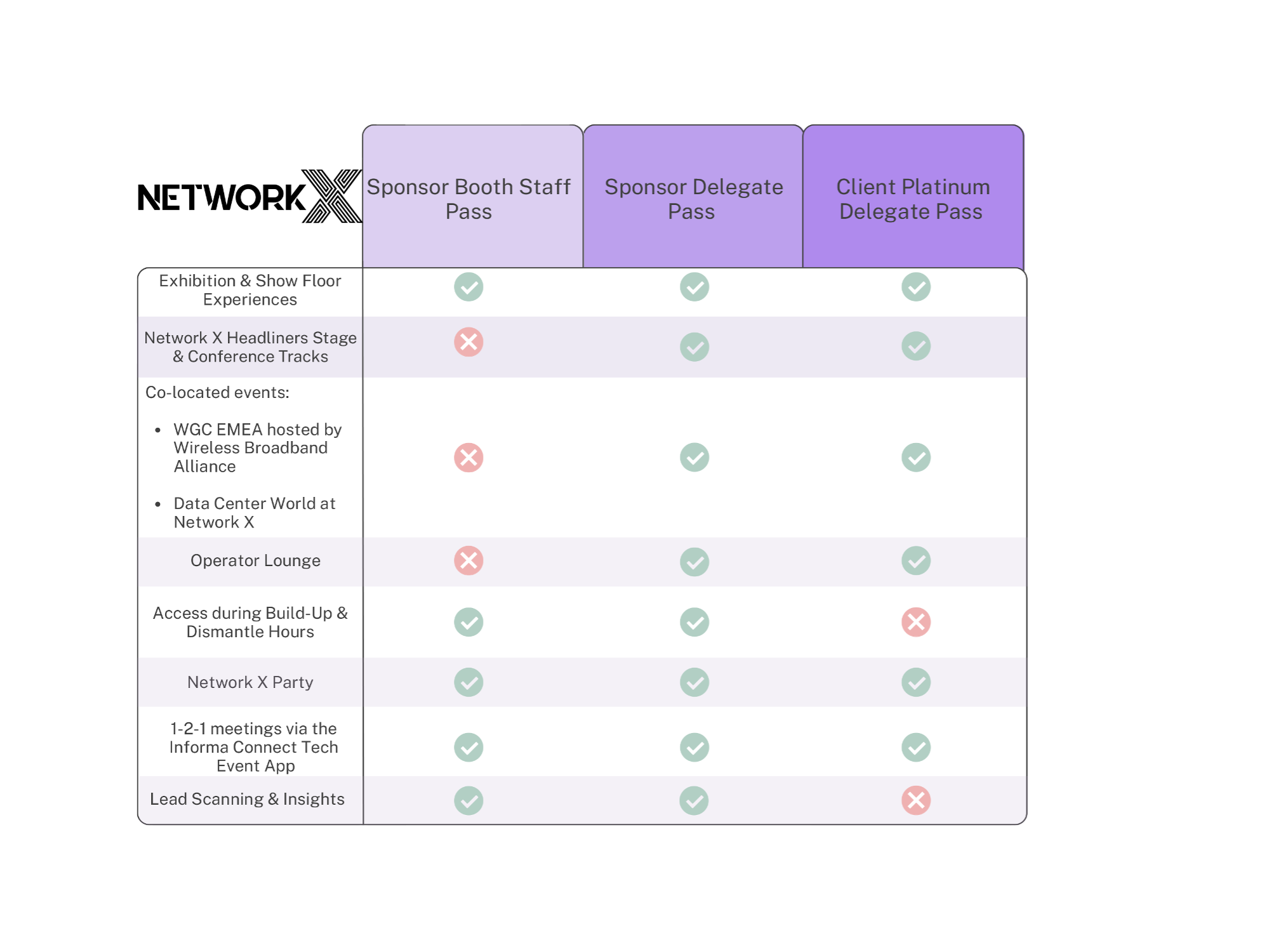
There are 2 different pass types available for your team:
- Sponsor Delegate Pass (all-access pass)
- Sponsor Booth Staff Pass (limited access pass)
For detailed instructions, please review our pass registration guide.
To see what access levels each pass comes with, please review the table below:
Sponsor Delegate Pass Registration
Share the following information from the exhibitor portal with your team:
• Pass Registration Link (blue highlighted code)
the pass type and promo code gets applied automatically if they register through that link

Sponsor Booth Staff Pass
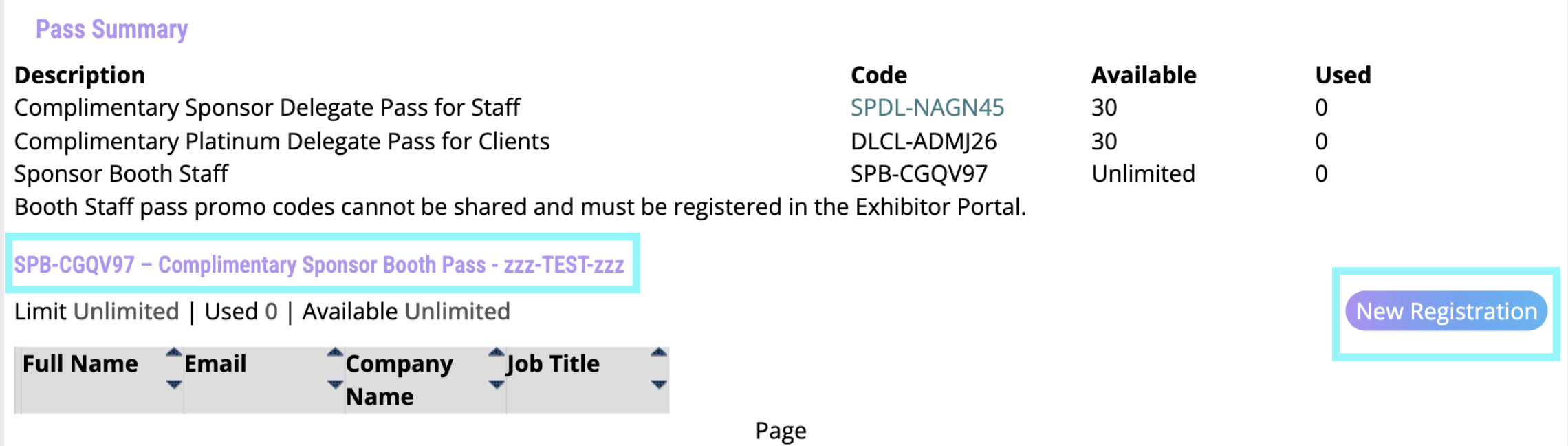
This pass type can only be registered via the exhibitor portal, there is no shareable link for this. Under the button 'Register Your Passes', scroll down to ‘Sponsor Booth Pass’ and click on ’New Registration' to fill out the form.
Was this article helpful?
That’s Great!
Thank you for your feedback
Sorry! We couldn't be helpful
Thank you for your feedback
Feedback sent
We appreciate your effort and will try to fix the article