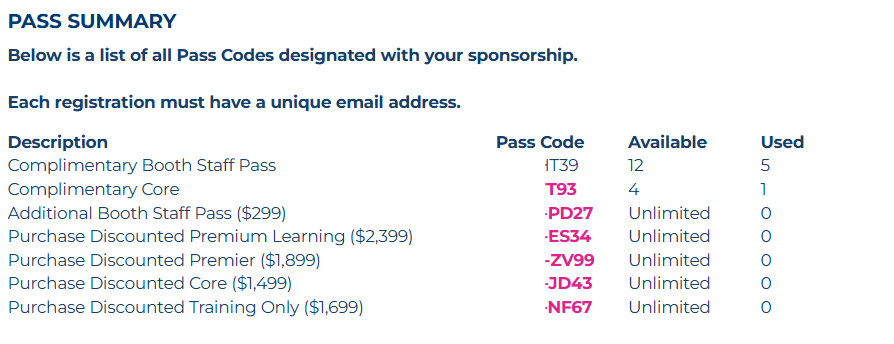
ICMI ccExpo offers 7 pass types as an exhibitor/ sponsor
Complimentary Booth Staff Pass
Complimentary Core
Additional Booth Staff Pass
Purchase Discounted Premium Learning
Purchase Discounted Premier
Purchase Discounted Core
Purchase Discounted Training Only
Prior to registering, read through what is included in each pass type.
______________________________________________________________________________________
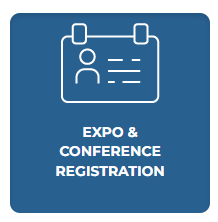
To register, log into the exhibitor portal and select "Expo & Conference Registration"
______________________________________________________________________________________
Scroll down to "Pass Summary" and select the PINK code next to your desired pass. This link is external and can be sent to your team for them to register themselves. You do not need portal access to register.
BOOTH STAFF PASS
Select the "Booth Staff Registration" button. You MUST have this pass to access the Virtual Booth and Scan Badges. Register for this pass AFTER you have registered for your Conference pass if you are attending both.
______________________________________________________________________________________
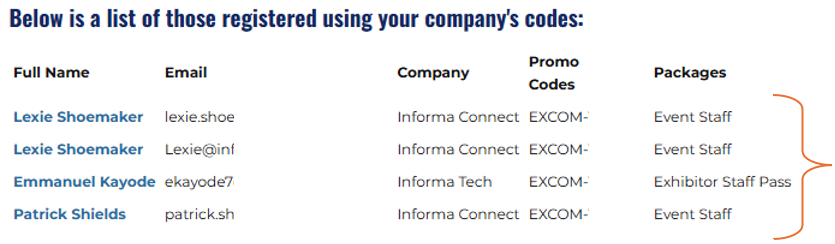
Once your team is registered, you will see them & their pass type listed at the bottom of the "Register for Event" portal page:
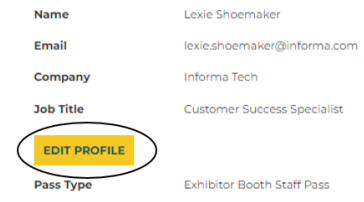
If your team members need their company name, badge name, or any other information modified on their registration. They will have to log into the main registration site and select "edit profile" Once registered, a registrant's information is considered their personal information so only the registrant can modify their registration details.
______________________________________________________________________________________
Registration FAQs:
What does my booth staff pass type include?
Exhibitor Staff Pass: (no meals)
- Expo move-in/move-out hours
- Expo Hall Access
- Networking Events
- The "Informa Connect Tech Events" app
- Lead Scanning + Insights
How do I cancel a registrant on my team?
Within the "Register for Event" portal page, click the red icon next to the registrant you need to cancel. Please note, closer to the event this option is no longer visible and you'll need to email CPCustomerSuccess@informa.com to have anyone canceled:

Can I get a copy of my team member's registration confirmation?
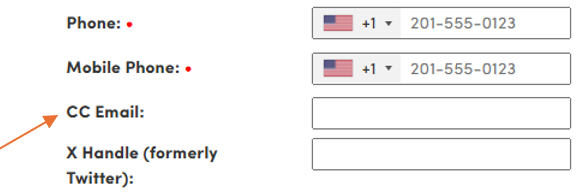
When registering your team, you can add your email address to the "cc" field to be seeded on their confirmation email. All confirmation emails will be resent 1 week prior to the event.
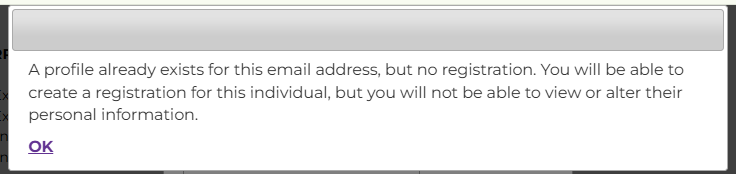
What does this pop up "A profile already exists for this email address, but no registration." mean?
This means that the person you are registering is in the system from a previous event. Select "ok" and you can complete the registration process.
What does this pop up "Cannot create registration. A registration for this email already exists." mean?
This means the person you are registering have already been registered for this event. If you do not see them on the portal page, they might have accidentally been deleted. Please reach out to CPCustomerSuccess@informa.com to restore their registration

How do I get my badge?
The registration confirmation email will include a QR code that you can scan at registration to print your badge. Your ID is required. Picking up a colleague’s badge is not permitted. **All confirmation emails will be resent 1 week prior to the event so it can be at the top of your inbox
Do I need to register my speaker?
Your speaker will receive a link to register with a speaker pass. A speaker pass does not grant access to booth set up hours. If your speaker needs access to your booth during set-up hours or needs to be associated with your company’s profile on the “Informa Connect Tech Events” app, please register them with an exhibitor pass within the portal and we will add a speaker pass to their registration. They will get full conference access with their speaker pass.
Was this article helpful?
That’s Great!
Thank you for your feedback
Sorry! We couldn't be helpful
Thank you for your feedback
Feedback sent
We appreciate your effort and will try to fix the article